

Table of Contents
- Family Sharing
- Gaming Consoles
- Social Media
- Smartphones and Tablets
- Smart Watches and Fitness Trackers
- Smart Toys
- AI Toys
- GPS Tracking and Smart Finders
- Stalkerware
Last Updated: March 15, 2026
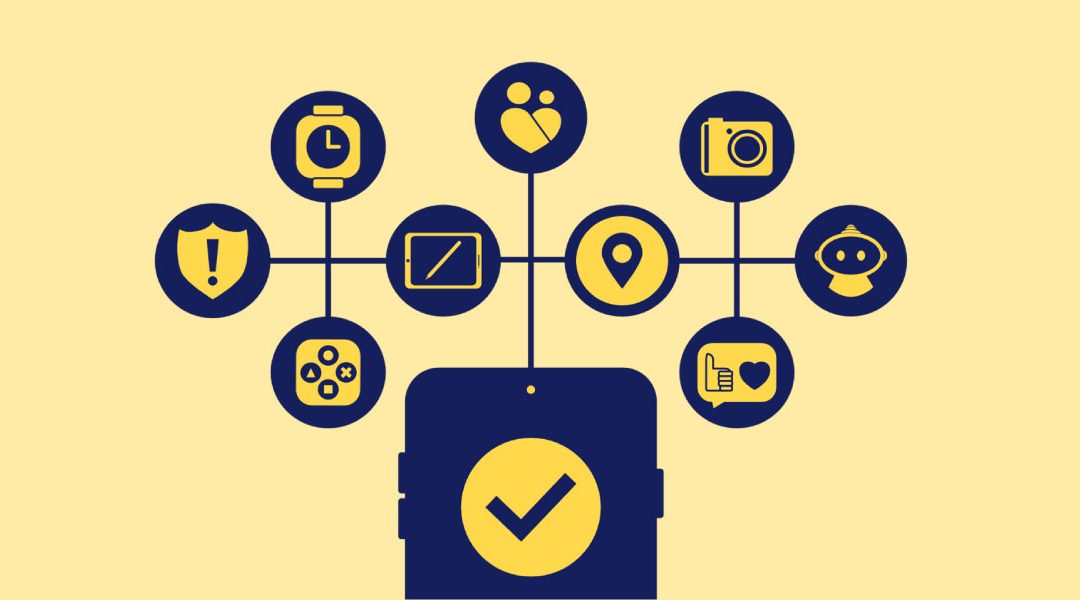
Keeping up with children’s technology can be challenging; on top of that, new features and privacy settings seem to be constantly evolving. This resource is to explain children’s technology and its features, and how its misuse by a current or former partner may pose a safety risk in situations of intimate partner violence.
When reviewing this glossary, remember that:
- Technology is not the problem. Abuse is. (Tech Safety Canada, 2025).
- A person does not need to be a tech expert to navigate technology misuse; there are resources and support networks to help.
- Safety is the priority.
If something in this guide is no longer up to date and/or difficult to understand, please reach out to techsafe@bcsth.ca with your concerns.
If something in this guide is no longer up to date, or you have any questions, please reach out to techsafe@bcsth.ca with your concerns.
Family Sharing
What is it:
Family sharing is a feature that allows people in the same household to share digital purchases, subscriptions and parental controls under one plan instead of paying separately for each account.
Features:
- Shared subscriptions (music, videos, storage, game services etc.).
- Shared Purchases (apps, e-books, movies, games, etc.).
- Parental controls (screen time limits, content filters, purchase approvals).
- Shared Tools (calendars, photos, or location sharing)
Risk or Misuse of a Child’s Device or Account:
- Using location sharing features to monitor a child’s movements.
- Seeing what apps, e-books, or media are being used and controlling access to those services.
- If passwords are shared or devices are synchronized, the offending caregiver can access messages, emails or view saved content.
- Restricting or monitoring children’s screen time or apps to manipulate your parenting decisions.
- Installing tracking apps or parental controls to monitor or limit device usage.
- Making excessive purchases to the credit card on file.
- Viewing accounts to find a new address or other personal information.
Strategies to Regain Control Over the Device:
- Consider creating a new, separate account for the child on a device that is not being monitored by the offending caregiver. This could include an iCloud or Google account.
- Turn off location sharing features on all devices and apps.
- If safe to do so, use 2-Factor Authentication so even if the offending caregiver knows the password, they cannot log in.
- Avoid auto-sync features on new devices, have separate PINS or Passwords for each device.
- Check account settings regularly, particularly after the child has come back from visiting the offending caregiver.
- Seek trusted help and support.
Additional Resources:
- Apple Family Sharing: Leave Family Share
- Google Family: Support Page
Gaming Consoles
What is it:
A device designed for playing video games on a TV or computer monitor. Modern consoles also allow streaming movies, music, and online communication.
Features:
- Game Library: Choose and play digital games that can be purchased from the console store.
- Online Play: Connect with other players over the internet.
- Communication Tools: Voice chat, text messaging, or friend lists.
- Subscription Services: Access to game collections
- Parental Controls: Ability to limit playtime, content or spending for children’s accounts.
- Media: Stream movies, music, or use apps like Netflix, YouTube, Spotify, etc.
- Cloud Saves and Backups: Saving game progress online to access from multiple consoles.
Risk or Misuse of a Child’s Console:
- Monitoring of what games are played, for how long and who the child or youth is interacting with.
- Access to reading private messages or reviewing friend lists.
- Controlling purchases or subscriptions to restrict access.
- Manipulating parental controls to interfere with the survivor’s parenting.
- Using remote play or linked devices to track or limit console usage.
- Creating a fake account and sending a friend request to a child or youth to regain contact.
Strategies to Regain Control Over the Device:
Misuse of a gaming console can happen through parental controls, shared accounts or having access to login details, linked devices or remote play, access to shared purchases or subscriptions, through console activity feeds or notification settings on the console.
Therefore, to secure the device, it is necessary to:
- Consider creating a separate gaming account as the person who can access parental control features.
- Use strong, unique passwords.
- Enable 2-factor authentication.
- Check and remove linked devices and log out of all unused devices.
- Use separate payment accounts if possible.
- Change privacy settings on the console to hide online status, game history and friend list; review these settings regularly to ensure that they have not been changed.
Important note: Misuse of gaming consoles to manipulate or exercise control is abuse, and it is not okay. Depending on individual family circumstances, some strategies mentioned above may or may not be possible to implement. However, it is important to be aware of how the misuse may take place to develop appropriate strategies that work for the survivors.
Specific Gaming Console Guides:
- Nintendo: Online Safety
- PlayStation: Safety Tools and Tips
- Xbox: Online Safety and Privacy Settings
Resources:
Social Media
What is it:
Social media refers to online platforms and apps that allow individuals to create and share content while also connecting with other individuals through profiles, messaging and communities.
Features:
- Users have “profiles” consisting of personal details such as name, photos, bios and activity history.
- Friends or Followers: a way to build an online network of people you know, celebrities, influencers.
- Content Sharing allows the sharing of photos, videos, links, or live streams. It also includes creating “stories” which are available temporarily to your online network.
- Communication tools are direct messaging (DMs), voice calls, video calls, and group chats.
- Ability to comment or reply on posts.
- Ability to react to posts using emojis, shares, and reposts.
Risk or Misuse of a Child’s Social Media:
- Harassment or Public Shaming: Inappropriate comments or replies on user profiles that are visible to the user’s online community. Using the disappearing messages feature to send an upsetting message that automatically deletes after the sender’s chosen time.
- Impersonation and Manipulation: Creating fake profile(s) and sending friend request(s) with intent to control, stalk or harm the survivor(s).
- Monitoring or Surveilling: Using information shared online against the survivor(s) with the intent to gain control.
Strategies to Regain Control Over the Account:
- Create a new account for your child with a username that is difficult to find using the search feature on the platform on a safe device.
- Choose an account image that is general and not of the survivor or their child.
- Delete or deactivate the account.
- Block or mute the abusive individual(s) if it is safe to do so.
- Preserve digital evidence of abuse by taking a screenshot or video screen recording (also applicable when navigating disappearing messages feature).
- Document and report abusive behaviour to the platform.
- Limit information shared on the online platform.
- Contact trusted friends and family through direct messaging (DMs).
- Avoid posting videos, stories, or snaps that reveal location or personal details in the background (e.g., street signs, school names, or identifiable landmarks).
- Review privacy settings regularly. Set profiles to private and monitor access to posts, tag you or message you.
- Turn off the geotagging feature.
- Review friends/followers list and block or remove anyone you do not trust.
- Log out of any devices not being used.
Additional Resources:
- Tech Safe BC: Social Media Resources
- Tech Safety Canada: Social Media Safety and Privacy Tips
- Tech Safety Canada: Documenting Tech Abuse
- Tech Safety Canada: Technology Safety & Privacy: A Toolkit for Survivors
- ESafety Commissioner (Government of Australia): Video Library: Secure your Tech
- Understanding Disappearing Messages Feature: Snapchat, Instagram, WhatsApp, Facebook Messenger, Signal.
Smartphones and Tablets
What is it:
Smartphones and tablets have become a regular part of children and youths’ daily lives, helping them stay connected socially, complete schoolwork and access resources and information. They have similar features as a laptop or a computer but are in an easy to carry format.
Features:
- Communication: Calling and texting, video and voice calls, instant messaging and emails.
- Internet and connectivity through Wi-Fi, cellular data, Bluetooth and Hotspot.
- Ability to download Apps, for example, social media, communication and educational apps, online games etc.
- Location and Navigation.
Risk or Misuse of a Child’s Phone:
- Receiving harassing or upsetting calls, videos, or texts from the offending caregiver.
- Using the disappearing messages feature on an app to send upsetting messages.
- Tracking or monitoring the location of the device.
- Installing location tracking apps on the device.
- Controlling the device through parental controls to undermine the non-offending parent’s parenting.
Strategies to Regain Control Over the Device:
- If safe to do so, block the contact or remove them from having access to the phone and/or location, for example, through iPhones’ Find My App.
- Take a screenshot or video screen recording of the abusive message right away to preserve evidence.
- On an iPhone, go through the Safety Check feature to see who has access to the device, location and apps. Review the device’s account information, privacy and security settings.
- Review the device for any unknown or new apps.
- Refer to “Our Safe Tech Plan” to review the safety plan.
- Learn more ways to secure the device through: Tech Safety Canada Survivors’ Guide to Phones.
Additional Resources:
- Tech Safety Canada: Homepage
- Understanding Disappearing Messages Feature: Snapchat, Instagram, WhatsApp, Facebook Messenger, Signal.
Smart Watches and Fitness Trackers
What is it:
Smart watches and fitness trackers may look like a watch but function like a minicomputer. It connects to a smartphone (through Wi-Fi or Bluetooth), and its purpose is to track health-related or physical activity-related information while also keeping the user connected to their smartphone.
Many child-oriented smart watches require a connection to a parental app.
Features:
- Communication such as voice calling and messaging.
- Location sharing or tracking.
- Physical Activity Tracker counts steps, heart rate monitor, etc.
- Can be connected to Family Sharing depending on the model.
Risk or Misuse of a Child’s Smartwatch:
- Misusing the communication feature to contact the child or parent.
- Location Tracking: The offending caregiver may be tracking the child’s location through parental app and or family sharing features the watch is connected to.
- Account Access: The offending caregiver may be able to access accounts the watch is connected to.
- Monitoring a child’s health data as a form of surveillance.
Strategies to Regain Control Over the Device:
- Check Paired Devices or Accounts: Make sure that the watch is only linked to a trusted phone or account.
- Review App Permissions: Check what is being shared and with whom through the phone app.
- On an iPhone go through the Safety Check feature to see who has access to the device, location and apps.
- Ensure the GPS or location sharing feature is turned off.
- Consider a Factory Reset, as this removes any hidden connections and will allow the device to be paired with a new phone or account.
- Consider checking the device’s official website for additional support and connecting with their help center.
Additional Resources:
- Apple Watch: Guide to Securing the Device
- Fitbit
Smart Toys
What is it:
Smart Toys have additional abilities through their connection with the internet or phone apps and can interact with children in more ways than traditional toys. Depending on the toy, it may consist of sensors, microphones, cameras, Bluetooth, Wi-Fi or AI (artificial intelligence) capabilities.
Features:
While each smart toy is different, features may include:
- Ability to link to a smartphone, tablet or the internet.
- May respond to voice, movement or touch.
- May remember the child’s name, preferences, etc.
- Have teaching or educational functions like helping teach math, language, etc.
- Entertainment features like playing games, telling stories, watching videos, or playing music.
Risk or Misuse:
- Monitoring conversations by toy’s stored recordings.
- Tracking location if the smart toy has GPS capabilities or has in-app location settings on.
- Monitoring the app the smart toy is connected to.
- Contacting the child or parent through the toy’s communication features.
Strategies to Regain Control Over the Device:
- Each smart toy and model is different. To understand its features, it is important to look up the specific toy’s details online, especially if the child has noticed something unusual.
- Can the toy be connected to an app?
- Does it require Bluetooth or Wi-Fi to work?
- Prioritize immediate safety; do not confront the offending caregiver about the toy.
- Treat it as a potential recording device, turn it off (if it is safe to do so), or move it to another room with a neutral reason like “we have to clean up this room.”
- Place the toy in something that would block out any recording abilities, such as inside towels.
- Document any misuse you suspect and connect with your support worker to navigate this together.
- Check to see if the toy saves data to a cloud account. Disable cloud features if possible.
- Disable location settings or GPS settings on the toy.
- Turn off access to any microphones.
- Turn off Wi-Fi or Bluetooth settings on the toy when not in use.
- Consider resetting the device and re-pairing it to a trusted account if possible.
- Safety Planning with your child using Our Safe Tech Plan.
Additional Resources:
- Tech Safety Canada: Smart Toys Safety Concerns
- Safety Net Project: Smart Toys and Location Trackers
AI Toys
What is it:
AI (Artificial Intelligence) toys use chatbot abilities to interact with the child. It tries to learn human emotions and feelings to interact with the child. This feature can be available in toys such as dolls, stuffed toys, action figures or kid’s tech toys like robots.
Features may include:
- Audio.
- Video.
- Microphone
- Facial or gesture recognition.
Risk or Misuse:
- Toys may include a “parental monitoring mode” feature, which can allow the parent to view chat records or to check in on the child in real time.
- A parent may also be able to turn on the toy through the app that the toy is connected to.
Strategies:
- Each toy and model is different. To understand its features, it is important to look up the specific toy’s details online, especially if you or your child has noticed something unusual.
- Can the toy be connected to an app?
- Does it require Bluetooth or Wi-Fi to work?
- Prioritize immediate safety; do not confront the offending caregiver about the toy.
- Treat it as a potential recording device, turn it off (if it is safe to do so), or move it to another room with a neutral reason like “we have to clean up this room.”
- Place the toy in something that would muffle any recording abilities such as inside towels.
- Document any misuse you suspect and connect with your support worker to navigate this together.
GPS Tracking Devices and Smart Finders
What is it:
A GPS tracker is a device or app that can monitor someone’s movements over long distances in real time. A smart finder is a Bluetooth or Ultra-Wideband (UWB) enabled device that can be hidden on personal items, allowing location to be tracked.
Note: Ultra-Wideband can offer a precise location for up to 30-100 meters depending on the device.
Features:
- GPS Tracker: Built for wide-area, real-time tracking.
- Smart Finder: Built for short-range location tracking.
Risk or Misuse:
- Location tracking with the intention to stalk or control the movements of the child and/or parents.
Strategies:
- For immediate safety concerns, call 911or your local emergency service number.
- For referral to local support, contact Victim Link BC at 1-800-563-0808.
- Turn off location sharing when not in use.
- Documentation: Take screenshots or photos to preserve evidence of location tracking (e.g., taking screenshots of a suspicious location alert, message or an app that looks unusual or taking a photo of a physical tracking device) before removing the offending parent from the service.
- Additional documentation includes writing down the date, time and details of when the tracker was located (see BCSTH Tech Facilitated Violence Log).
- Turn off Bluetooth or any location sharing in the device’s settings.
- Scan child’s personal items (particularly after a child’s visit with the offending parent) – toys, inside of shoes, coat linings, luggage or backpacks may be possible places a tracker could be hidden.
- In case of a physical tracker, avoid handling it more than necessary. If you must remove it, take a photo and put it in a Ziploc bag for evidence.
- Depending on the individual situation, contact appropriate professionals (support worker, PEACE Program counsellor, Legal Advocate, family lawyer, etc. to inform them of the breach).
Additional Resources:
- Tech Safety Canada: A Survivor’s Guide to Location Tracking
- BCSTH: Smartphone and Location Tracking Safety Strategies
Stalkerware
What is it:
Stalkerware can be tools, software programs, apps or devices that let another person secretly monitor and record information of a device that is not theirs. While each stalkerware app lets the stalker access varying levels of phone features (e.g., texts, calendar, contacts), it can be difficult to determine whether the device has been compromised.
Device Symptoms could include:
- Battery rapidly draining.
- Unexpected spikes in data usage.
- Unexpected increase in weekly screen time.
- Strange or unknown notifications or texts.
- Sudden decline in device performance.
- Unexpected changes in device settings.
- Unexplained calls in your telephone bill.
- Significant device overheating.
- Difficult to shut down the device.
- Background noise during phone calls.
Strategies to Regain Control Over the Device:
- Document: If stalkerware is found on the device, document all evidence before deleting. In Canada, it is illegal to install software on someone’s device without their consent, which includes stalkerware.
- Factory Reset: If possible, consider a factory reset on the device; this will delete all of its data. Before considering this option, back up any essential data by saving or downloading items onto a trusted device (e.g., photos, contacts, etc).
- Trust Your Instincts: If the device usage does not add up to the number of times it is crashing or not responding, it may have been compromised. It may be worthwhile to have a tech professional examine it.
- Temporary New Device: Depending on an individual’s case, a new device would allow the device user to create new accounts and limit its access to trusted individuals only.
- Use Anti-Virus and Anti-Stalkerware Protection: Depending on the device, a security app may be available to be downloaded on the device. Regular scans of the device (particularly after a child has been in contact with the offending caregiver) would determine if or when the device is compromised.
- For additional strategies, visit Tech Safety Canada: Phone Stalkerware and Safety Guide.
Additional Resources:
- Tech Safety Canada: Mobile Spyware: Identification, Removal and Prevention.
Other Useful Resources:
- Tech Glossary: Comprehensive glossary of technology terms and vocabulary.
Feedback: This resource is still growing, and please help us make it better. Let us know if something is missing or if you have suggestions on what could help other young people dealing with technology misuse by a family member. Please complete this short feedback form. Thank you very much.
If you are experiencing tech abuse, you are not alone. Find support in your community by connecting with a BC Society of Transition Houses Member Program or check out our other safety resources at techsafebc.bcsth.ca.
©BC Society of Transition Houses, Tech Safe BC Project, 2026. We encourage others to share this material, provided BC Society of Transition Houses is acknowledged